
Viteval / Brand & assets
Brand assets
Download Viteval logos and icons for documentation, integrations, and projects.
The wordmark
Custom lettering, a round flask, and tight parentheses. Use the complete lockup; don’t recreate it with a font.

Light surfaces
Download SVGTransparent backgrounds. Vector paths, no fonts or embedded images. Preserve the proportions and leave generous clear space.
The flask, in motion
The standalone icon for app icons, favicons, and loading states. A stationary outline with two gently moving liquid layers. No floating bubbles.
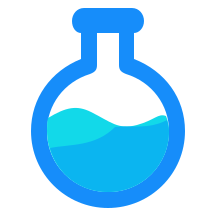

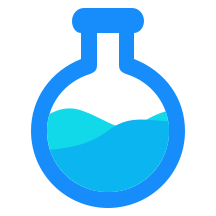
Loading icon
Download animated SVGThe loading SVG loops on its own and respects reduced motion. When using it in an interface, pair it with an accessible loading status. The preview above is artwork, not a page loading state.
Four foundations
Blue for the identity. Cyan for the liquid and supporting accents. Dark, simple surfaces with off-white text.
Background
#0B1016Blue
#168DFACyan
#12D9E9Off-white
#F8FAFCUse darker blue and cyan for text on light surfaces. Green, amber, and red communicate results; they aren’t additional brand accents.
Type that gets out of the way
Bold sans-serif headings, restrained body copy, monospace for code. The site uses Geist and Geist Mono; the logo remains custom artwork.
Geist / Heading
Measure what
your agent does.
Geist / Body
Keep evaluations beside your application code. Run real inputs, compare answers, and inspect what changed.
Geist Mono / Code
pnpm exec viteval runKeep it recognizable
Keep the liquid wave visible, the neck short, and the outline round. Don’t stretch, recolor, add bubbles, or turn the wordmark into text. Use the light variant only on light surfaces.
These SVGs are manually reconstructed from the supplied artwork using the brand guide’s flat palette. The original raster texture is not part of the vector assets.